How to upgrade Crown DCI Dante Amplifier Firmware

Please see below links and instructions:


  1. Please download Latest Audio Architect v2.55.3 HiQnet Audio Architect v2.55.3 (Windows 7 SP1, 8.1, 10) | HiQnet Audio Architect | English if you haven’t already done so.
  2. You will also need the Dante Controller Software Downloads | Dante which includes the Dante Updater.
  3. The DCI Dante files are located in the Program Files (C:\Program Files\Harman Pro\Audio Architect 2.55\FirmwareUpdates) DCIDA-xxxxxxxxx-Dante.dnt files
  4. You need to import the Dante Firmware into the Dante Updater: DANTE-Importing-Firmware-in-Dante-Updater
  5. Please make sure you are in the same IP Range of the Dante Devices.
  6. Then following these steps to update: How to match Crown Dante firmware to DCiDA amplifiers


Please note: Do not install BSS Dante Firmware on Crown amplifiers.  

If wrong files are installed, the following will happen: DCi Dante Primary and Secondary Ports are swapped
HiQnet Audio Architect v2.55.3

Download the latest Audio Architect v2.55.3 firmware

Please contact JPRO Technical team for help at any stage.

Peter: 09 913 6211     |     Hugo: 09 913 6214

The content provided is offered in good faith. While JPRO strives to provide accurate and helpful information, we cannot be held liable if the provided content does not successfully resolve an issue or offer a solution to a problem.

How to configure CISCO SG300 network switch with Dolby processor and JBL DSI 2.0 amplifiers.

Any Managed Network Switch will work as long as it configured for Professional use and configured to allow Audio Video based on Dante requirements except for a small change in the QoS settings.

– The QoS/DSCP priority for Dolby AES67 is slightly different from Dante (Shown on last 2 pages of attached document)

–  HP/Aruba Switches can also be configured in a similar method

Switch Configuration

Short description of download

The content provided is offered in good faith. While JPRO strives to provide accurate and helpful information, we cannot be held liable if the provided content does not successfully resolve an issue or offer a solution to a problem.

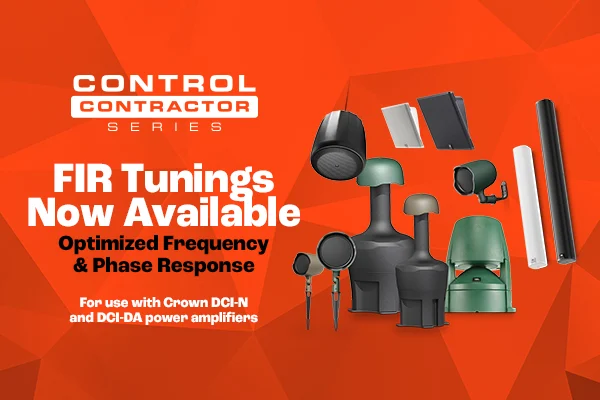
Control Contractor FIR Tunings Now Available

JBL has made available FIR tunings for select Control Contractor Series loudspeakers. The FIR filters optimise both frequency response and phase response to a finer degree of precision than has typically been possible with standard IIR “parameter-based” filters. Additionally, these FIR filters were designed to meet JBL Pro’s new V6 FIR tuning standard.

V6 Tuning Features:

  • Equalisation to a neutral frequency response
  • Improved linearised phase response above 300 Hz
  • Allows users to start with a known flat voicing for further EQing to the needs of the install
  • Improved signal coherence
  • Matched gain to allow for smooth system tuning and subwoofer integration

V6 FIR Tunings Available For Loudspeaker Models:

  • COL600 Slim Column Loudspeaker
  • COL800 Slim Column Loudspeaker
  • SLP12/T Sleek Low Profile Loudspeaker
  • SLP14/T Sleek Low Profile Loudspeaker
  • GSF3 Full Range Loudspeaker
  • GSF6 Full Range Loudspeaker
  • Control 68HP Pendant Loudspeaker

Tuning Files

Instruction File

The content provided is offered in good faith. While JPRO strives to provide accurate and helpful information, we cannot be held liable if the provided content does not successfully resolve an issue or offer a solution to a problem.

The content provided is offered in good faith. While JPRO strives to provide accurate and helpful information, we cannot be held liable if the provided content does not successfully resolve an issue or offer a solution to a problem.

Crown custom control module

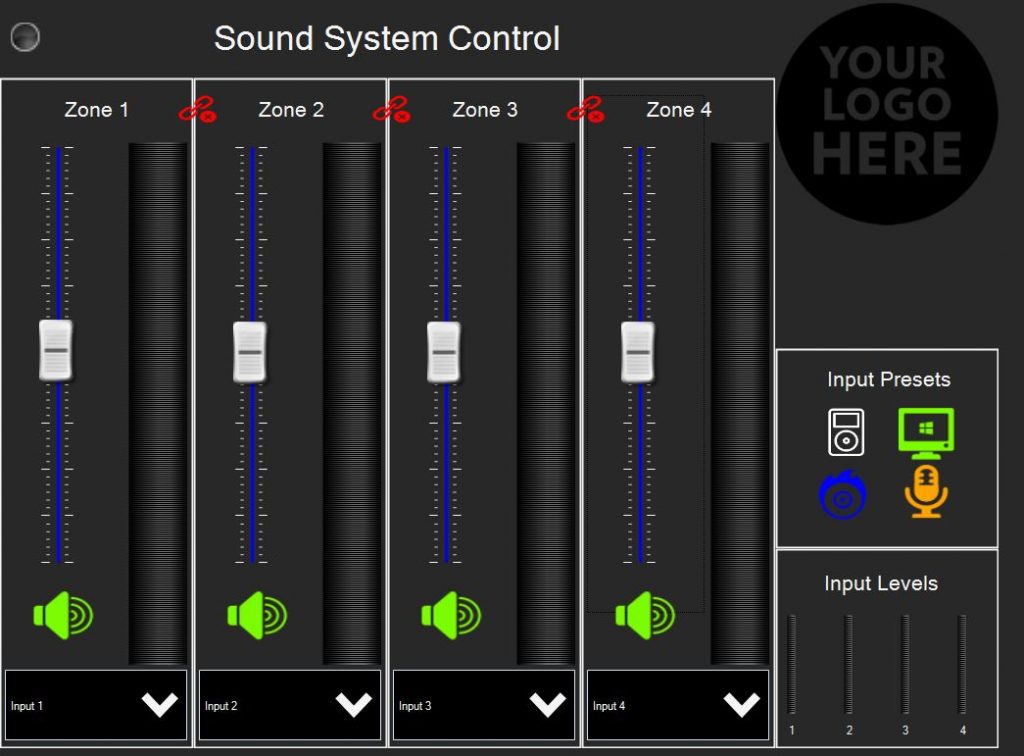
This file provides a already designed template for Crown CDi Series (DriveCore) for a 4 Zone Router/Amp which is controlled through Motion Control. This allows the end user to have a simple system that can be controlled by a iPad or iPhone. Within the template is a iPad and iPhone design, these elements can be edited to fit the needs of the site. If you need to upgrade to a larger or different amp you will need to reassign the parameters; this can easily be done through Ctrl (Hold) + Click on the Object, drag it to the control panel and drop. This will assign the new parameter.

A Contrio EC4-BV is also in the design and assigned for 4 Zones of Volume Control and Mute.

Icons/Graphics used in the template are from ICONS8 (Free Icons, Clipart Illustrations, Photos, and Music (icons8.com))

Control Module

Crown custom control template

“The content provided is offered in good faith. While JPRO strives to provide accurate and helpful information, we cannot be held liable if the provided content does not successfully resolve an issue or offer a solution to a problem.”

The content provided is supplied in good nature. JPRO cannot be held responsible if this info doesn’t resolve a issue or provide a solution to a problem.

Product by Series
Brands
Product by Category
Installed Audio
Installed Video
Portable Audio
Studio / Broadcast